
print it / Hinge Ball transforming
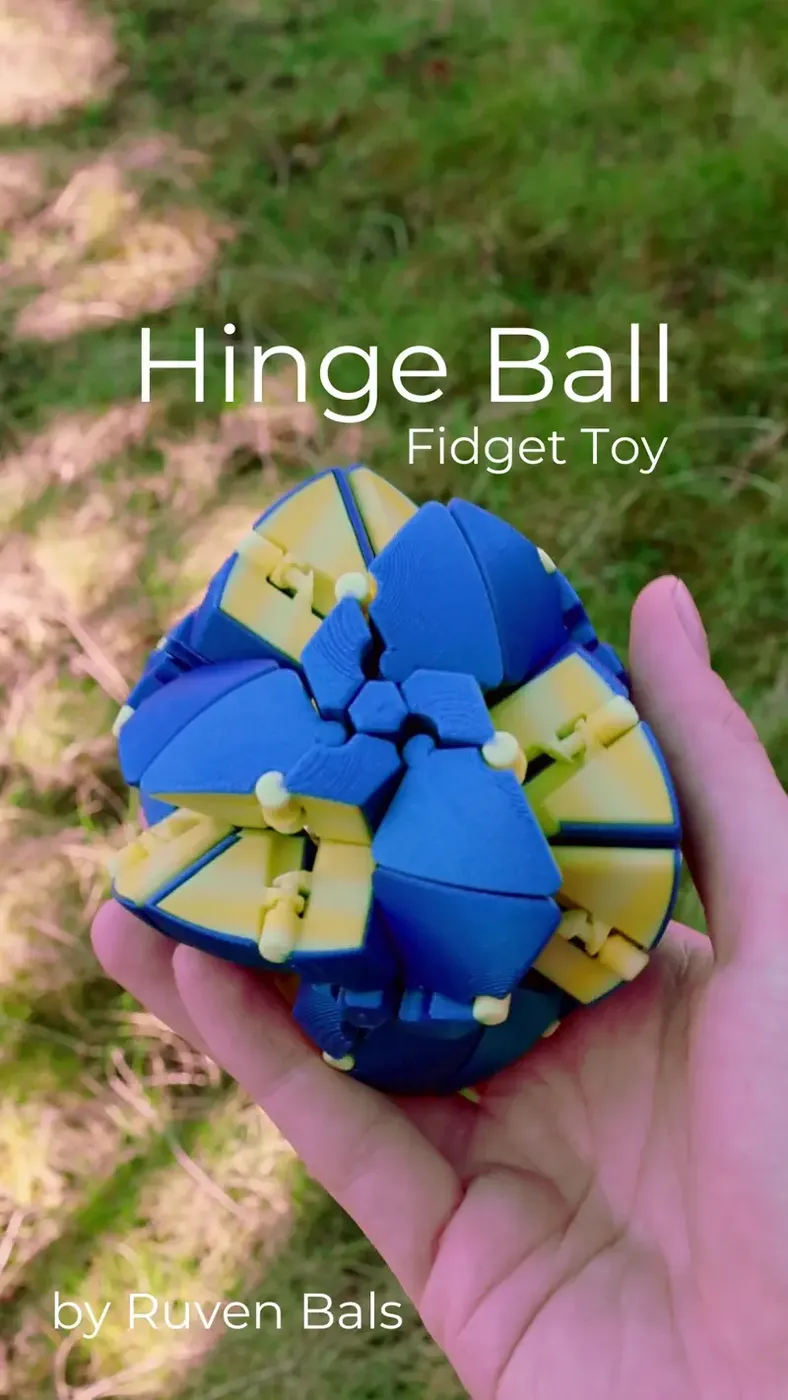
This is a Fidget Ball that changes shapes and colors when you throw it in the air. It's a variation of the Uekitahedron I did with Keishiro Ueki that I invented.
You need
- 4 Left Pieces
- 4 Right Pieces
- 12 Connectors
There is also an "All" Plate that you can print. It has everything you will need in one place.
Multicolor files are also included, as well as a tool that can help with assembly.
Print Settings
The individual pieces are print-in-place—no supports required. A brim may be helpful depending on your printer.
This model is a little filament-dependent. Use a filament with a smooth surface that slides well against itself for best results.
Assembly
I made an assembly video here: Watch the video.
An assembly PDF is included in the download for additional guidance.
Troubleshooting
Connectors Break:
- Alternative: Skip connectors and use glue instead.
- Best Fix: Print connectors in a stronger material like PETG, ABS, ASA, or Nylon (instead of PLA). If you only have PLA, adjust print settings—try adding more walls or increasing infill.
- Bonus: The "Troubleshooting" folder includes stronger connector designs as an alternative to the standard ones in "Files."
Connectors Are Too Long or Too Short:
- Solution: Scale the connectors in your slicer until they fit snugly into the holes.
It Gets Stuck and Doesn’t Transform:
- Cause: The smoothness of the transformation depends on the quality of the printed hinges.
- Fixes:
- Switch to a different filament with better sliding properties.
- Use the files in the "Troubleshooting" folder, which have increased tolerance for looser hinges.
- Note: Slight variations in filament extrusion or printer calibration can affect fit. Even I encounter this sometimes! For consistency, print all parts with the same filament brand and type.
Technical Data
The single-color version uses 125g of filament and prints in ~6.5 hours.
The Filament I used is Joel's Highfive Blue HTPLA by Protopasta
and Partly Sunny Yellow Multicolor HTPLA by Protopasta