
print it / Gear Ball
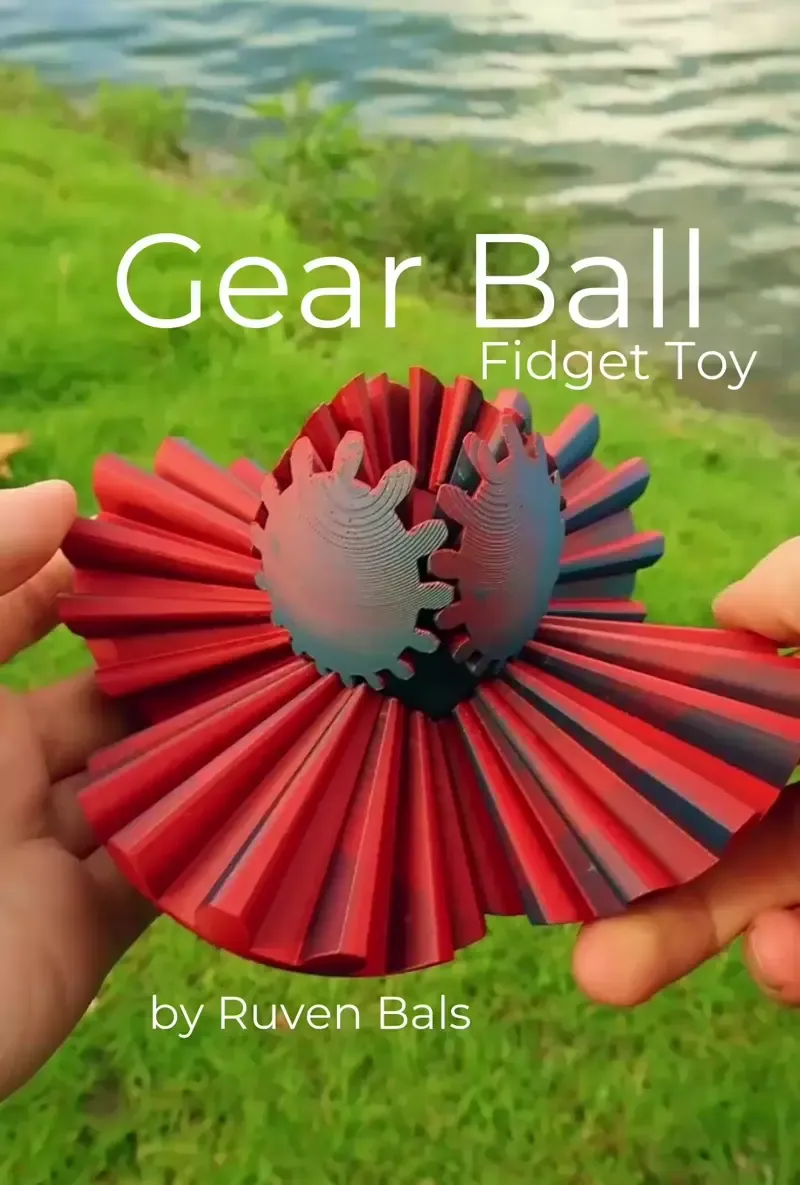
This is my Gear Ball. A variation of the Sphere Gear I came up with. It uses the same mechanism the Gear Cube does.
You need
4 Big Gears
4 Small Gears
8 Connectors
1 Heart
There is also an "All" File that has everything you need.
Print the files in the "Updated" Folder. They are better and allow for troubleshooting. The Original is just there if anyone who has printed it needs spare parts.
Print settings
No supports needed. Just print with a standard profile. I used a brim for better bed adhesion.
Assembly
Watch this Video:
Watch the video
There is also a PDF guide inside the download.
Push the connectors into the heart and then put the gears on top. This one is a little tricky since the gears are variable sizes. You need to connect the ball just like in the picture when it’s a ball. Make sure you assemble the big gears first and that they form half a ball. Then put in the small gears. Use the pictures as guidance.
Troubleshooting
The Connectors fall out:
Scale them in your slicer until they fit. I would start with 102%.
The Connectors Break:
I did include stronger connectors in the "Troubleshooting" folder. The higher you go from 1-5, the stronger they get. You can also try printing them in a different filament. Many people had success by using PETG for them; I still use PLA.
The Gears are too tight or too loose:
Replace only the heart. The troubleshooting folder includes many hearts. If your ball is too tight, they go up into the plus digits. The higher you go, the looser the ball will become.
If your ball is too loose, go into the minus digits. The lower you go, the tighter your ball will become.
Reassemble your ball with the replaced heart. If it’s still too tight or too loose, go even lower or higher.
Technical Data
The gear ball takes around 100g of filament and 4 hours to print. The filament I used in the pictures is PolyTerra Mixed Berries.